To convert PNG to TIFF in the browser, switch our extension to PNG → TIFF, drop the file and press
Convert. The result is one single-page TIFF per PNG, with the same pixels for an 8-bit PNG and the same
transparency. The conversion is simple. What is worth knowing is what that TIFF contains, because it
is not the file a print shop or an archive might be expecting, and the things a PNG loses on the way
are quiet ones.
Quick answer
PNG to TIFF conversion with our extension gives a single-page TIFF at 8 bits per channel, compressed with Deflate, with transparency kept as an alpha channel. The pixels are exact for an 8-bit PNG. The resolution tag is always 72 dpi, so the file cannot be made a 300 or 600 dpi TIFF here. Nothing is uploaded.
We built the converter this article describes. The format mechanics come from the TIFF 6.0 specification and the W3C PNG specification.
How to convert a PNG
Set the direction first, then add the files: the switch decides what the drop zone accepts.
- Add the extension to Chrome and click its toolbar icon. Chrome opens it in a new tab.
- Set the switch under the title to
PNG → TIFF. It starts onTIFF → PNG. - Drop the PNG on the card, paste it, or choose it.
- Press
Convert. Each file waits on its own card. - Press
Downloadon a finished card, or tick several and pressDownload allfor one ZIP.
Switching direction clears the list and its results, because the files on it were admitted by the direction that was current when they were dropped. Download what you need before you switch. A file that is not a PNG is skipped, with a count and a reason, rather than failing the batch.
The conversion happens in the tab, so no image, file name or file content is sent anywhere. That is the same local route the no-upload guide shows how to check, and it matters here for the same reason: a PNG can be a scan or a screenshot of something private.
What the TIFF contains
Every TIFF we write is baseline TIFF 6.0 plus two extensions that Photoshop, Preview, libtiff and Pillow read: Deflate compression and horizontal differencing. The details, in the order a reader meets them:
| Property | What we write | What it means for you |
|---|---|---|
| Pages | One | We never join PNGs into a multi-page TIFF |
| Bit depth | 8 bits per channel | A 16-bit PNG keeps its top eight bits |
| Compression | Deflate, with horizontal differencing | Lossless; software from before Deflate came to TIFF may not open it |
| Colour layout | Greyscale, RGB or RGBA, chosen from the pixels | The smallest layout that carries every pixel exactly |
| Transparency | Unassociated alpha channel | A transparent PNG stays transparent |
| Resolution | 72 dpi, in inches, always | A label, not a setting; see the DPI section |
| File name | photo.png becomes photo.tiff | The longer extension, the same format as .tif |
The colour layout is picked per file. An opaque PNG whose every pixel has equal red, green and blue is written as greyscale, an opaque colour PNG as RGB, and anything with transparency as RGBA. A grey PNG that carries transparency is written as RGBA too, because a file we write should be one our own reader opens whole.
This TIFF is also plainer than what a scanner or a print workflow produces: no CMYK, no tiles, no multiple pages, no choice of compression. It is a clean, readable container for the pixels, which is what most PNG-to-TIFF requests are asking for.
Things a PNG loses on the way
PNG to TIFF conversion is lossless for the pixels of an ordinary 8-bit file. Four things in a PNG have no equivalent in the file we write, and each is a reason to keep the PNG.
A 16-bit PNG is reduced to 8 bits
We read PNG at every depth the specification allows, from 1 to 16 bits per channel, but the TIFF is 8 bits per channel. A 16-bit sample keeps its top eight bits, the same reduction an image viewer makes to show the file on an 8-bit screen. For a graphic or a screenshot the difference is hard to see. For a high-bit-depth master, the extra precision is why the file exists, and the TIFF will not keep it.
A palette disappears
PNG can store an image as a palette of up to 256 colours and a list of indexes into it. The TIFF we
write has no palette: the colours are written as ordinary samples, and a palette entry marked
transparent (the PNG tRNS chunk) becomes an alpha value. The picture is the same, and the file can be larger than the
indexed original, because each pixel now carries its colour rather than a pointer to it.
An animated PNG keeps only its first frame
An animated PNG converts without an error, and the TIFF holds a single image: the first frame. Nothing warns you that the other frames were dropped, and a TIFF has no animation to hold them. If the animation is the point, keep the PNG; a quick check is to open the result and see whether it is the still you expected.
Gamma, colour profiles and text chunks are not carried
A PNG can carry gamma, an embedded colour profile and text chunks (PNG specification, colour space information). The two formats do not hold these in the same way, so we read past them and the TIFF has none. For most images this changes nothing you can see. For a file whose colours depended on an embedded profile, check the result in the program it is going to.
300 or 600 DPI
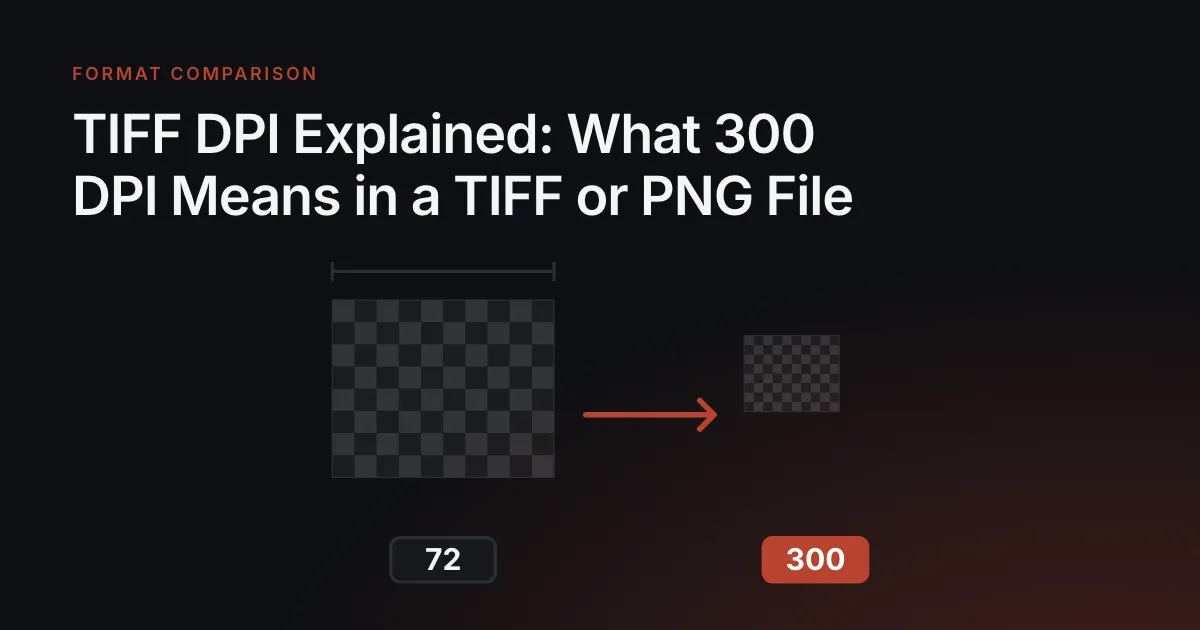
The TIFF we write is always tagged 72 dpi, so the extension cannot give you a 300 dpi or 600 dpi file. Online converters such as FreeConvert advertise a DPI setting, so the limit is worth stating before you install anything.
DPI is a label that tells a printer how large to draw the pixels, and it adds no detail. A PNG that is 3000 pixels wide prints ten inches wide at 300 dpi and five inches wide at 600 dpi, and it is the same 3000 pixels either way.
Asking for a “600 dpi TIFF” from a 3000-pixel image does not give a sharper print; it gives a smaller one. To print at 600 dpi at the size of the 300 dpi version, the image needs twice as many pixels in each direction, and no converter can supply them.
If a print workflow needs the tag set, the pixels from our conversion are exact and the tag is one step in an editor or the print dialog, where the physical size is chosen anyway. We do the part we can guarantee, and we do not write a number that would only be a promise.
Which route fits
A PNG to TIFF converter is one of three things: a website, a desktop program or a command-line tool.
- A website. Fast to find, and the file is uploaded before it is converted.
- A desktop editor. Editors such as Photoshop and GIMP offer choices we do not: other compressions, 16-bit output, CMYK, a resolution of your choosing, several pages. Choose one when the TIFF is going to a print shop with a specification.
- Our extension. Local, free and in the browser, with exactly one TIFF flavour. Choose it when the requirement is “a TIFF” and the file should stay on your machine.
If a recipient’s requirements name a compression, a bit depth or a resolution, they are describing something we do not write, and the editor is the honest answer.
Opening the TIFF afterwards
Photoshop, Preview, anything built on libtiff and Pillow open the result of a PNG to TIFF conversion. Chrome has no TIFF decoder, so a browser tab will not display the file itself; our preview pane draws the picture for you before you download. That is the same wall described in why a browser will not open a TIFF, and it is the reason this direction exists less for the web than for the pipelines that still ask for TIFF.
For the other direction, the lossless conversion guide covers what changes between a TIFF and a PNG. For what each format is for, see TIFF vs PNG, and for how transparency crosses the boundary, the transparent background article.
Batch conversion
Drop several PNG files together and each gets its own card. A ticked selection downloads as one flat
ZIP named png-to-tiff followed by the date. If two files would end up with the same name inside the
archive, the names are made distinct rather than one overwriting the other. This is batch conversion
to convert multiple files in one run, and the limits are the machine’s memory and speed.
What we do and do not do
The extension writes a single-page TIFF, 8 bits per channel, Deflate-compressed, tagged 72 dpi, and it keeps alpha. It writes no LZW or other compression, no CMYK TIFF, no multi-page TIFF, no JPEG and no PDF. It does not resize, crop or rotate, reads only PNG in this direction, and runs in Chrome on a computer.
Final verdict - PNG to TIFF
For PNG to TIFF, use the extension when the requirement is simply a TIFF and the file should stay on your machine; an 8-bit PNG keeps its pixels and transparency. Use an editor when the recipient names a bit depth, a compression, CMYK or a resolution such as 300 or 600 dpi, because we write none of those. Keep the PNG as your master either way.