A TIFF’s DPI is a number stored in the file that tells software how large to draw each pixel. It is a label, not a pixel count: a file tagged 300 dpi and one tagged 72 dpi can hold exactly the same pixels, and rewriting the number changes the print size, not the detail. This matters because “send a 300 dpi TIFF” is a request about pixels, and the label alone does not satisfy it.
Quick answer
DPI in a TIFF is the XResolution and YResolution tags plus a unit, and in a PNG it is the optional pHYs chunk. Physical size is pixel width divided by dpi, so 3000 pixels at 300 dpi is ten inches. Relabelling leaves the pixels untouched. Our extension writes 72 dpi into a TIFF and no resolution into a PNG.
We build a Chrome extension that converts TIFF and PNG files, so we read both formats’ resolution fields closely. The claims about the formats below come from the TIFF 6.0 specification and the W3C PNG specification. The checks come from a test file we made for this article, described where it is used.
What DPI means in a TIFF file
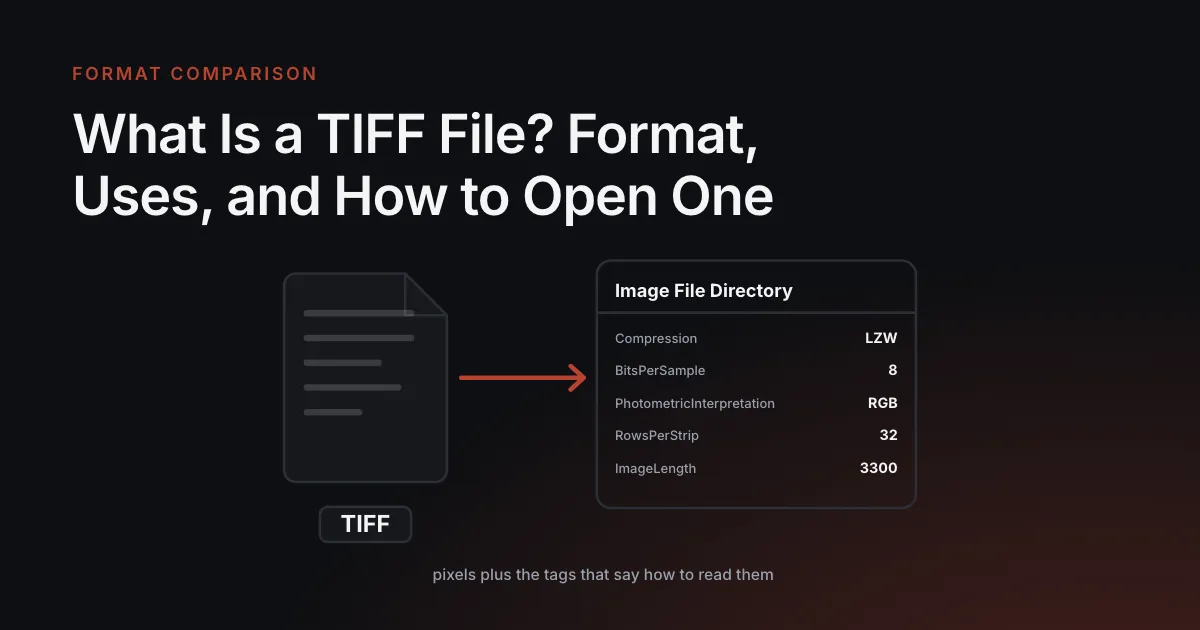
The resolution in a TIFF is three tags: XResolution (tag 282), YResolution (tag 283) and ResolutionUnit (tag 296). XResolution and YResolution hold pixels per unit as fractions, and ResolutionUnit says what the unit is. In the specification, 1 means no absolute unit, 2 means inch, 3 means centimeter, and the default unit is inch. XResolution and YResolution are separate tags, so a file can carry two values.
The specification is blunt about how far the numbers bind anyone. For XResolution it says that “it is not mandatory that the image be actually displayed or printed at the size implied by this parameter. It is up to the application to use this information as it wishes.” The tag is a hint that each program is free to use or ignore.
The arithmetic follows directly. Print width in inches is the pixel width divided by dpi. An image 3000 pixels wide is 10 inches wide at 300 dpi, 5 inches wide at 600 dpi and about 41.7 inches wide at 72 dpi. The pixels never change; only the size each is drawn at does. This is also why dpi and “resolution” are slippery words: Wikipedia’s dots per inch entry separates a printer’s dots from an image’s pixels per inch, and file formats store the second.
That is the point where “300 dpi TIFF” turns into two separate questions. One is which number is in the tag. The other is how many pixels the file has, and whether that is enough for the size it will be printed at. Our guide to what a TIFF file contains shows where these tags sit among the others.
How to check the DPI of a TIFF
To check the DPI of a TIFF, read tags 282, 283 and 296 with a metadata or TIFF tool. We made a 3000 by 2000 pixel RGB TIFF with Pillow, Deflate-compressed, tagged 300 dpi, and read it with three tools on a Mac. The tools and what they printed:
| Tool and command | What it printed for the test TIFF |
|---|---|
exiftool -XResolution -YResolution -ResolutionUnit file.tif | X Resolution 300, Y Resolution 300, Resolution Unit inches |
tiffinfo file.tif | Resolution: 300, 300 pixels/inch, beside Image Width 3000 and Image Length 2000 |
sips -g dpiWidth -g pixelWidth file.tif (macOS) | dpiWidth 300.000, pixelWidth 3000 |
exiftool -PixelsPerUnitX -PixelUnits file.png | For a PNG: 11811 pixels per unit, unit meters |
Read the dpi and the pixel width together. The test file prints at 3000 divided by 300, which is ten inches wide, and a file that reports 300 dpi at 600 pixels wide is a two-inch picture. We did not check how Photoshop, GIMP or Preview display these tags, so this article gives no menu steps for them.
How to convert a TIFF to 300 DPI
Converting a TIFF to 300 dpi means rewriting the resolution tags, and it is a different act from resizing. There are two operations hiding behind the phrase, and they do opposite things to the pixels.
| Operation | What changes | What does not |
|---|---|---|
| Set the tag to 300 dpi | Tags 282, 283 and 296; the size the file asks to be printed at | Every pixel, and the detail they hold |
| Resample to a new pixel count | The pixels: new ones are computed and the file grows or shrinks | The detail of the original, which cannot be recovered by enlarging |
We tested the first operation on the 72 dpi version of the same file. exiftool with -XResolution=300 -YResolution=300 -ResolutionUnit=inches, and macOS sips -s dpiWidth 300 -s dpiHeight 300, each changed the tag to 300 and left the image at 3000 pixels wide. Pillow decoded the result to the same bytes as before, for both tools. The label moved and the picture did not.
That settles the common worry. If a printer asks for 300 dpi and your file is 3000 pixels wide, the tag change makes it a ten-inch file at 300 dpi, which is correct for ten inches. If they need twelve inches at 300 dpi, you need 3600 pixels, and relabelling will not supply them. The same reasoning is in the 300 or 600 section of our PNG to TIFF guide.
Can a PNG have 300 DPI?
A PNG can store a resolution, but it is optional. The W3C specification says the pHYs chunk “specifies the intended pixel size or aspect ratio for display of the image”. It holds pixels per unit for X and for Y plus a unit byte, where 0 means the unit is unknown and 1 means the metre. With unit 0 the chunk gives only an aspect ratio. Without the chunk, “pixels are assumed to be square, and the physical size of each pixel is unspecified.”
Because the unit is the metre, 300 dpi is stored as 11811, which is 300 divided by 0.0254, rounded. That is the number exiftool read from the 300 dpi PNG that Pillow wrote for us. A PNG saved with no dpi had no such chunk, and macOS sips reported 72 for it, so a reader that shows a number is not proof that the file stored one.
A PNG with a pHYs chunk and a PNG without one hold the same pixels. This is why a “300 dpi PNG” for print is a promise about size, not about quality. For the formats side by side, see TIFF vs PNG.
What our extension does with DPI
We do not change DPI, and we do not resize. For PNG to TIFF, every TIFF we write carries XResolution and YResolution of 72/1 and a ResolutionUnit of 2, which is inches. For TIFF to PNG, we write no pHYs chunk at all: a PNG from our extension contains only the header, the image data and the end marker.
The second case surprises people. A TIFF tagged 300 dpi comes out of our conversion as a PNG with no resolution tag, so the 300 is gone while the pixel dimensions are exact. We confirmed this on a synthetic 96 by 64 pixel RGB TIFF tagged 300 dpi, listing the chunks of the PNG the encoder produced. It is a narrow test, one file, and it was run against the extension’s own decoder and encoder, not the finished interface.
If the destination needs a particular dpi, convert first and set the label afterwards with a metadata tool or an editor. The pixels are what we guarantee, the printed size is a decision made downstream, and nothing is uploaded either way.
300 or 600 DPI when scanning
Scanning at 600 dpi gives four times the pixels of 300 dpi, not twice. The 4 by 6 inch photo in the FAQ is 1200 by 1800 pixels at 300 dpi and 2400 by 3600 at 600 dpi. Uncompressed at 8 bits per channel with three channels, those are 6,480,000 and 25,920,000 bytes, about 6.2 and 24.7 MiB.
| 4 by 6 inch photo | Pixels | Uncompressed RGB, 8 bits |
|---|---|---|
| Scanned at 300 dpi | 1200 by 1800 | About 6.2 MiB |
| Scanned at 600 dpi | 2400 by 3600 | About 24.7 MiB |
The sizes follow from the arithmetic, and the same reasoning explains why a TIFF can be so large. Whether the extra pixels show in the finished print depends on the scanner and the size of the print, and we have not measured that. Compression changes the file size, not the pixel count.
Final verdict - TIFF DPI
Treat DPI in a TIFF or PNG as a label that sets print size, and treat the pixel count as the real resolution. When someone asks for 300 dpi, check the pixel width divided by 300 against the size they need, then set the tag with a metadata tool or an editor. Our extension keeps the pixels exact and leaves the label to you.